
| Variant | With Cable, Wireless |
|---|---|
| Style | For Right-Handed, For Left-Handed |

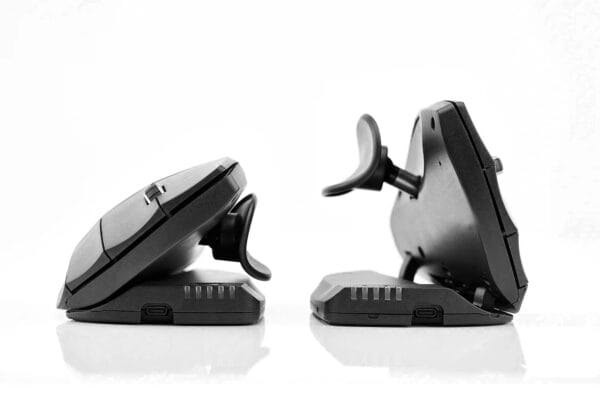
The Unimouse promotes changing positions while working. With flexible angles (35 degrees in both directions) and a thumb support, the grip is varied, preventing localized strain. Micromovements keep muscles, ligaments, and nerves free.
The ATS (Articulating Thumb Support) adjusts by sliding, pivoting, rotating, and tilting, including mouse width adjustment. The ball joint finds the personal sweet spot for both short and long thumbs. This results in a relaxed grip, reduced pinching forces, and more precise control.

The Unimouse offers seven buttons, with up to six of them being customizable, including its own middle button and clickable scroll wheel. Through drivers (Windows/macOS), you can assign shortcuts, macros, and app-specific commands. Program-specific layouts automatically activate the appropriate configuration for design tools, office suites, IDEs, or browsers. This converts repeated click sequences, context menu calls, or complex key combinations into a single precise trigger on the mouse.
The integrated double-click option on the middle button further reduces click frequency, providing relief especially with high workloads.
Practical examples: In graphic software, one button can toggle a “brush/hand/zoom” sequence, in spreadsheets, thumb buttons can initiate navigation, filters, or macros, and in video timelines, the scroll click and middle button control playhead jumps or markers.

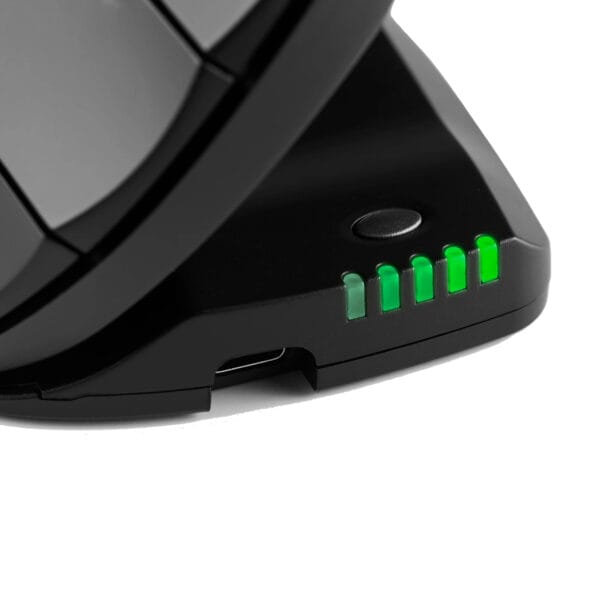
Overall, the Unimouse offers up to 10 levels ranging from 800 to 4,000 DPI. The tactile, easily accessible switch on the front of the mouse allows for quick, consistent adjustments during work, with LEDs providing immediate confirmation of any change.
A short press on the DPI button displays the current battery and speed status via dual-color front LEDs. This visual feedback enables quick decisions without the need to open software windows.
Lower levels are available for precise touch-ups, UI design, or CAD details; for large spreadsheets, 4K displays, or multi-screen setups, you can accelerate in seconds.
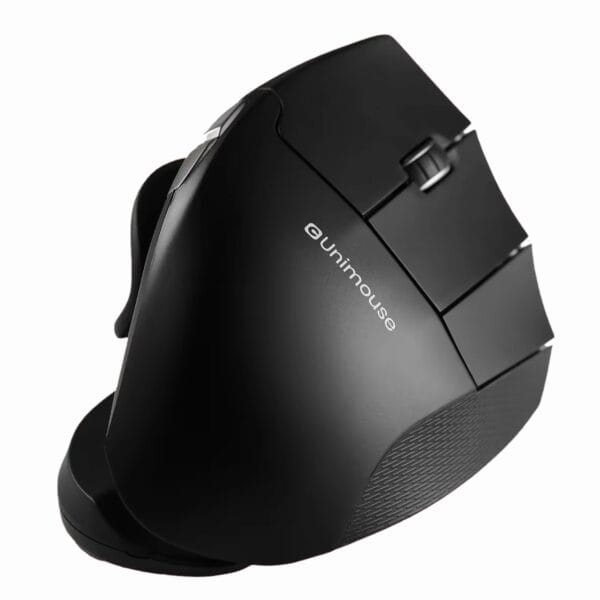
The rubberized scroll wheel of the Contour Unimouse combines clearly defined notches with a textured, fine surface. Each “notch” provides consistent, pleasantly cushioned feedback, reducing over- or under-scrolling and allowing for precise control. The microstructure enhances traction, allowing for lower clamping and holding forces on the index finger.
In long documents, spreadsheets, or browser feeds, the precisely repeatable increments support smooth, error-free navigation. In timelines of video, audio, or motion software, finely graded scrubs are achieved without jerky movements; in CAD and 3D workflows, zooming and panning operations benefit from the reproducible tactile feedback. The balanced friction prevents “spinning,” yet remains smooth enough for fast scrolling over large distances.
The wheel is clickable and functions as an independent button. This allows middle-click-based commands, context functions, or shortcuts to be triggered directly at the scroll point. When combined with the programmable buttons, a fluid, interruption-free workflow is created.

The defined support for the ring and little fingers acts like a lateral guide rail. The finely textured surface increases traction, allowing for reduced holding forces and ensuring the grip remains stable even at steeper vertical angles. This reduces lateral slipping, minimizes micro-corrections, and supports smooth, precise cursor movement.
At the same time, the support distributes pressure more broadly across the ulnar edge of the hand, reducing shear forces on the skin and the feeling of “hotspots.”
The material is grippy but not sticky, beneficial for sweaty hands and long sessions.
In conjunction with the 5-way thumb rest, a balanced “two-point” contact is created: thumb inside, little/ring finger outside. This symmetrical support enhances fine control and directional changes, shortens correction paths, and increases the consistency of both fast and slow movements.
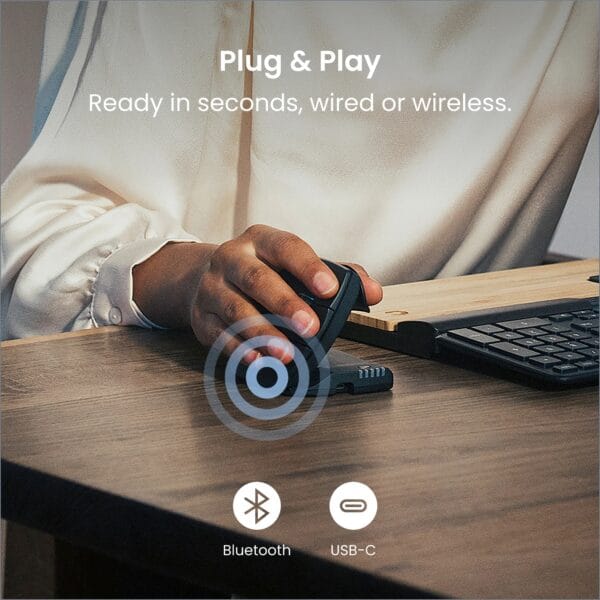
The Contour Unimouse is immediately ready for use via USB without requiring any driver installation. The standard button configurations work reliably on both Windows and macOS, allowing users to get started in seconds. For power users, optional PC/Mac drivers are available to finely adjust buttons, profiles, and pointer speed, or to activate program-specific layouts, providing the right configuration for each application.
Wirelessly, the Unimouse impresses with its low-latency 2.4 GHz connection and a practical operating range of 7.5 to 8 meters, making it ideal for open-plan offices, meeting rooms, standing desks, or flexible desk setups. Depending on the model, integrated Bluetooth offers flexible pairing with laptops or mobile devices without occupying a USB port. For maximum availability, a charging/data cable is included: work during charging is always possible – a fail-safe “wired fallback” for low battery or in wireless-critical environments.
With approximately 0.13 kg and dimensions of 11.9 × 7.6 × 5.6 cm, the Contour Unimouse combines a sleek design with noticeably light handling. The low inertia makes micro-movements from fingers and wrists easier, allowing the cursor to be positioned more accurately and reducing the need for corrective actions.
The balanced weight distribution supports smooth control without excessive holding forces: lifting and repositioning can be done with ease, without changing grip.
The Unimouse fits into a laptop bag, is ready for immediate use with plug-and-play, and operates either wired or wirelessly (depending on the model, even via Bluetooth). This creates an ergonomic, vertical mouse that offers professional-level control, stability, and precision without the “bulk.”

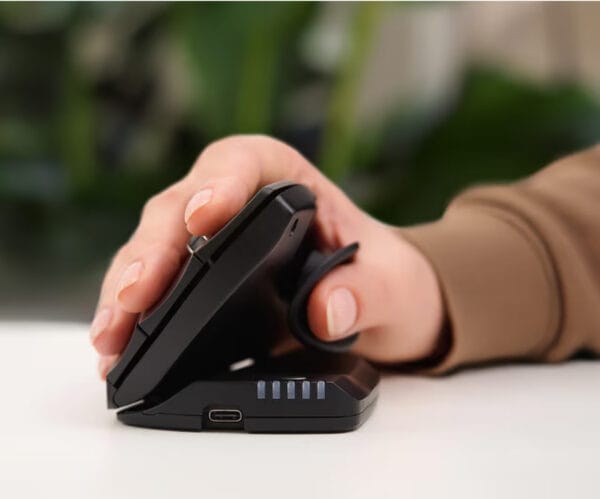
The Contour Unimouse uses a lithium-ion battery with 500 mAh (Wireless) and delivers up to three months of run-time per charge. The battery is fully charged in about two hours. Two-colored front LEDs provide information at the touch of a button about the current battery status and the active DPI level, allowing you to keep an eye on energy and pointer speed without a software window. Charging is conveniently done via the front USB-C port. Thanks to Pass-Through, productive work is possible during the charging process.
In a critical wireless environment, the included cable is available as a fail-safe backup. On the performance side, profiles, button assignments, and DPI settings are permanently retained, allowing seamless work continuation after a quick energy boost.
The Contour Unimouse is available as dedicated right- and left-handed versions. It is not a compromise chassis but a true mirrored design. The shape, button placement, and adjustable vertical angle are consistently mirrored, along with the 5-way thumb rest.
The programmable buttons can be configured identically in both versions. Driver profiles for Windows/macOS are portable, ensuring consistent workflows between left and right. In shared-desk environments, agencies, or labs, teams benefit from uniform feel, clear button logic, and minimal adaptation time. Those looking to manage strain proactively can alternate between left and right use, effectively distributing holding and clicking loads.
Two-year manufacturer warranty and available support software ensure professional use. Documentation, drivers, and assistance are ready for an ergonomic mouse that remains productive.


To ensure that your selection exactly matches your preferences, we ask you to review it once more:
These products cannot be altered or returned after purchase.




Reviews
There are no reviews yet.
Show only reviews in English (0)